


Personalised Author Cover Bookmark
$2.99
Personalised Author Cover Bookmark for your book title, author name and cover artwork. Create your own front design or use the original Lantern Library sample illustration.
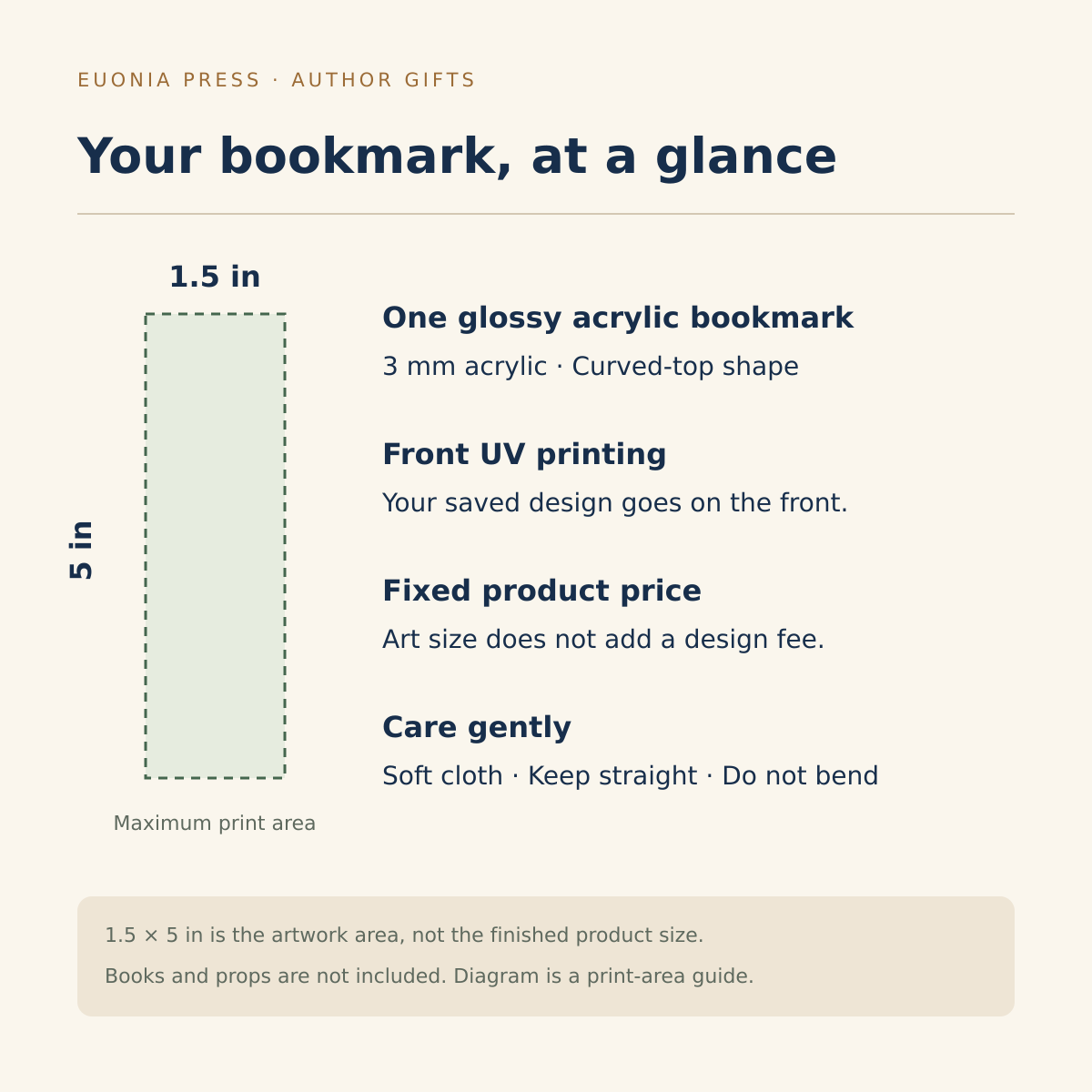
- One 3 mm glossy acrylic bookmark · Curved top
- Front UV print · Maximum artwork area 1.5 × 5 in
- Upload your cover or download the sample artwork below
- Blank-start designer · Saved design required
A personalised author cover bookmark for your story
Turn the world of your book into a useful keepsake with the Personalised Author Cover Bookmark from Euonia Press. Add your cover artwork, book title and author name to a glossy acrylic bookmark that readers can keep close through every chapter. Whether you are celebrating a debut, preparing a small author gift or marking a finished manuscript, the design lets your own story take the lead.
From your cover to a reading companion
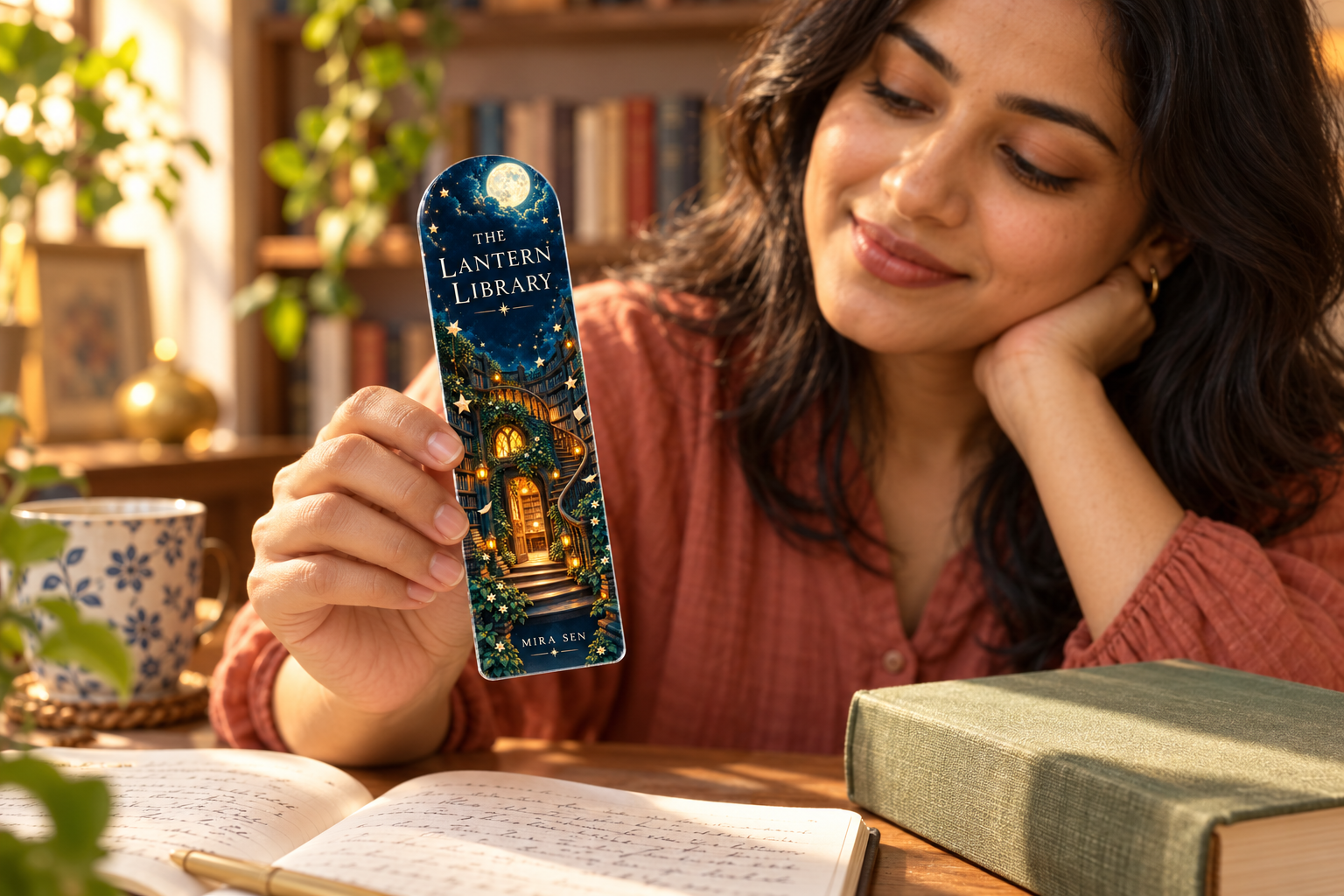
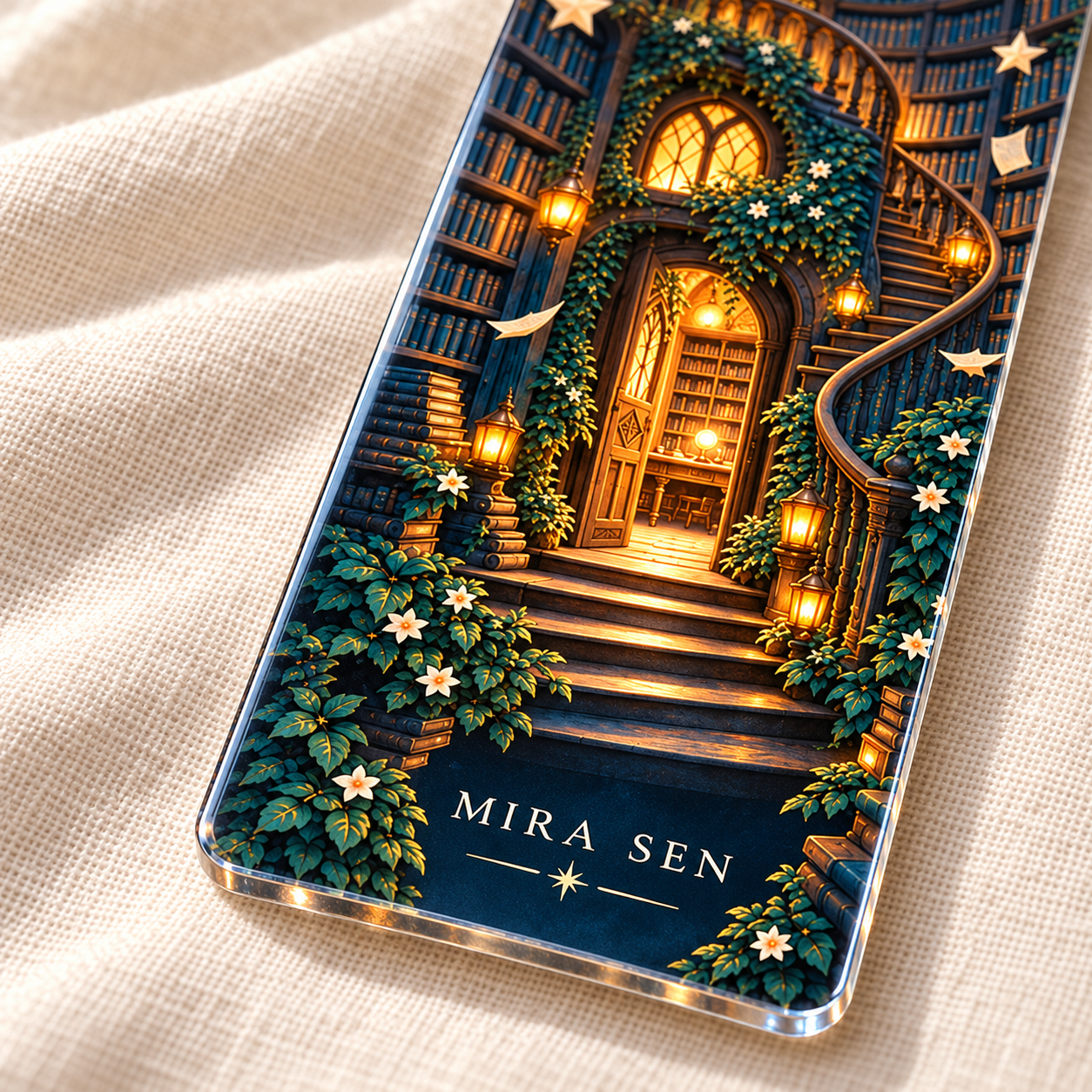
The gallery uses an original moonlit library illustration with the sample title “The Lantern Library” and sample author name “Mira Sen”. Lanterns, tall shelves and drifting paper stars show one possible fantasy-inspired direction. These words are examples only, not a book included with the product or text automatically added to your order. Your own cover may be bold, minimal, romantic, literary or entirely different.
The customer designer starts blank. Upload a cover image you have permission to reproduce, or download the original Lantern Library illustration below and add your own title and name as editable text. The downloadable sample artwork contains no title or author lettering. Your saved design determines the printed image, wording, scale and placement.
Personalised author cover bookmark specifications
- One 3 mm acrylic bookmark with a glossy finish.
- Curved-top shape with UV printing on the front.
- Maximum artwork area: 1.5 × 5 inches. This is the print area, not the finished bookmark dimensions.
- A saved front design is required before adding the product to the cart.
- One fixed product price for the permitted print area; changing artwork size or adding text does not add a design-area fee.
- Books, notebooks, pens and other styling props are not included.
This listing is an individual rigid acrylic bookmark. It is not a printed book, a miniature book or a set of bookmarks. The scene in the sample is a flat printed illustration, not raised architecture. Gold-coloured stars and lantern highlights are printed colours rather than metallic foil. Applicable tax and shipping are shown at checkout.
Fit your cover to the bookmark
A book cover is usually wider in proportion than a tall bookmark. To preserve the entire cover, fit the image inside the permitted area and allow space above or below it. To fill more of the bookmark, you may need to crop the image; check that the title, author name and important artwork remain visible. Avoid stretching the cover into a different proportion, which can distort faces, lettering and other details.
If the cover’s small text becomes difficult to read, consider using a clean artwork export and adding the title and author name as larger text layers. Use a short title arrangement with deliberate line breaks. The designer preview is the place to check the final composition, including the curved top and safe space near the edges. The supplied sample illustration is already tall, with quiet areas for separate title and author text.
Create your personalised author cover bookmark
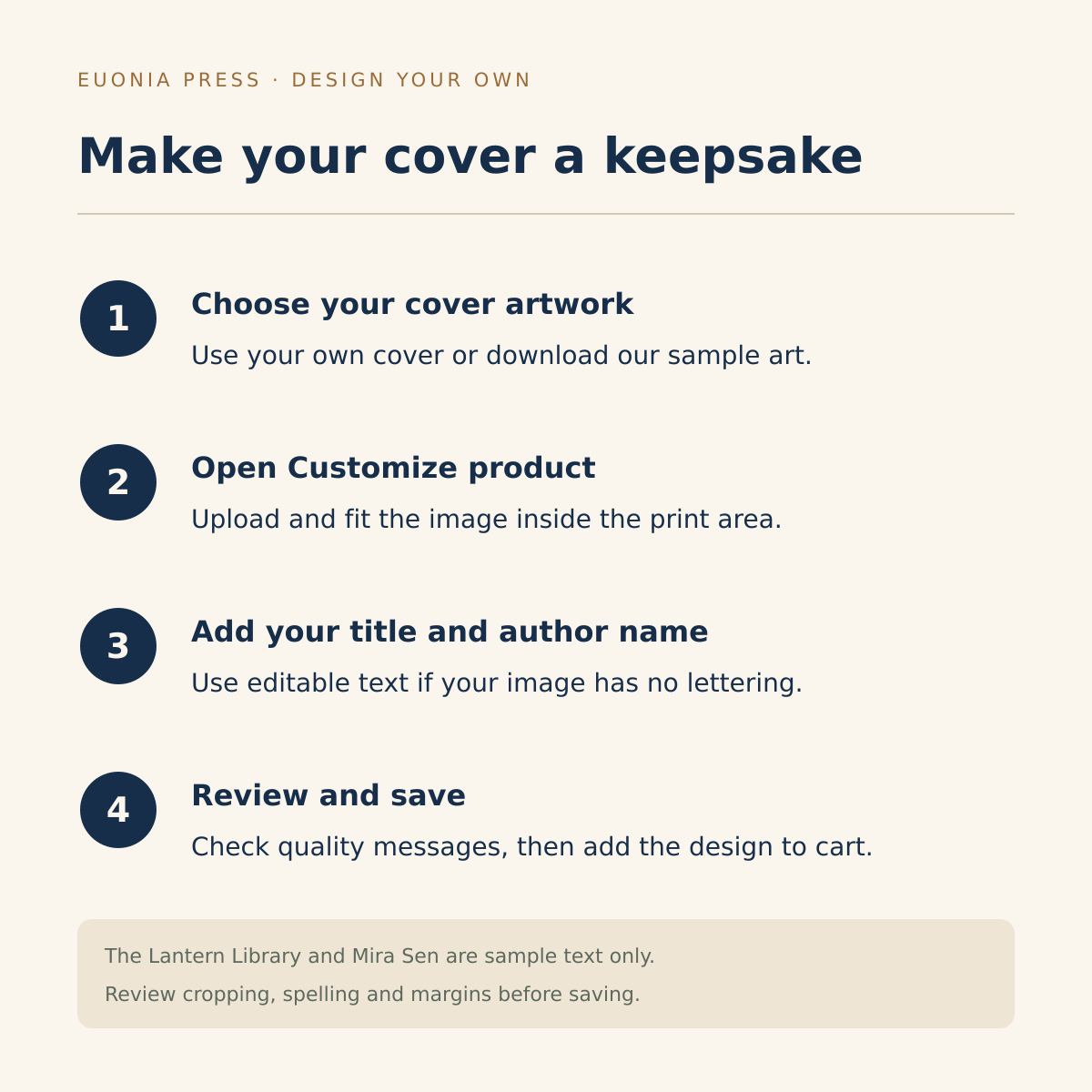
- Prepare a clear cover image or save the downloadable Lantern Library illustration below.
- Select Customize product to open Euonia Product Studio.
- Use Add a photo to upload the image, then position it inside the front print area.
- If needed, choose Add words for the title and a separate author-name layer. Pick a readable font and a colour that contrasts with the background.
- Check cropping, spelling, punctuation, margins and image-quality messages.
- Review the complete front, then add the saved design to your cart.
Follow the file limits shown in the editor. Its image-quality check uses the effective resolution at your chosen print size. If a warning appears, reduce the image size or use a clearer original export. Enlarging a small file does not create new detail. Text already flattened into a cover image cannot be edited letter by letter; upload a revised cover or use a text-free image if you want separate editable wording.
A meaningful author gift or launch keepsake
A personalised author cover bookmark can mark a publication milestone or accompany a signed copy of your book. It can also thank a writing friend, a beta reader or someone who encouraged you through the drafting process. The connection to the book makes the gift personal while keeping it useful for everyday reading. Add a handwritten note about why the story matters to you.
For several identical bookmarks, save one design and choose the quantity you need. For different titles, author names or dedications, create and add each design separately. Review the cart so the correct design is attached to each quantity. For a group of readers, explore the Personalised Book Club Bookmark, or browse more author gifts from Euonia Press.
Care and final checks
Wipe the glossy acrylic gently with a soft cloth. Keep the bookmark straight, avoid bending it and do not force it into a tightly closed book. Store it away from rough objects that could mark the surface. Handle the printed front with care between reading sessions.
Use artwork and text you own or have permission to print, including permission for any cover illustration, photography or lettering. The gallery contains illustrative mockups; printed colours and placement may vary slightly. Check your saved preview before ordering, because the sample title and author do not replace your design automatically. Find more literary gifts in the Euonia Press shop.
Download the Lantern Library sample artwork
Open and save the original Lantern Library PNG. This illustration contains no title or author name. Upload it in the designer, then add your own wording as separate text layers, or use your own cover artwork instead.
Additional information
| Shape | Classic |
|---|
You must be logged in to post a review.
Related products
View all- Select options This product has multiple variants. The options may be chosen on the product page

- Customize product
- Customize product
- Customize product




Reviews
There are no reviews yet.